Day-of Operations: Badge Printing, Session Check-In, and Lead Retrieval for Conventions
Last updated: April 2026. This article is for informational purposes only. Statistics and third-party features referenced may have changed since publication. Terms apply.
You have spent months planning your convention -- booking guests, recruiting vendors, selling tickets, and coordinating volunteers. Now it is the morning of day one. The doors open in ninety minutes. The real test begins. Everything that happens from this point forward is an operations problem, and the quality of your operations tooling determines whether attendees remember a seamless experience or a frustrating one.
The challenge most convention organizers face on event day is the sheer number of disconnected systems. One app for badge printing, another for check-in, a spreadsheet for session tracking, a separate scanner for lead retrieval, walkie-talkies for communication, and a whiteboard in the back office for schedule changes. Each system works in isolation. None of them talk to each other. When something goes wrong -- and something always goes wrong -- you are the human middleware stitching it all together.
This guide walks through every major day-of operations workflow, from the moment you set up your command center to the moment you lock the doors after teardown. Along the way, we will show how an integrated platform replaces the patchwork and gives your team a single source of truth for everything happening at your event.
The Command Center: Setting Up Your Operations Hub
Every well-run convention has a nerve center -- a room (or at least a dedicated area) where your core operations team coordinates everything. This is not the registration desk and it is not the green room. It is a private space where department leads can communicate, make decisions, and monitor the health of the entire event in real time.
What belongs in your command center
- A large screen or monitor displaying your operations dashboard -- live attendance numbers, session capacity, check-in throughput, and any alerts. If your platform supports it, this should update automatically without anyone refreshing a browser tab.
- A communications hub. Whether you use radios, a walkie-talkie app, or a dedicated Slack/Discord channel, all department heads need to be reachable from this room. Radios are still the gold standard for reliability -- they work when Wi-Fi does not.
- Printed fallback materials. A paper copy of the master schedule, a venue map with room assignments, a contact list for every department lead and venue liaison, and emergency procedures. If your digital systems go down, these are your lifeline.
- A decision-maker. Someone with authority to make real-time calls needs to be in or near this room at all times. Room changes, guest cancellations, medical situations, and security incidents all require fast decisions. Committees do not work at event speed.
With an integrated platform like Confanum, your command center dashboard pulls from the same data as your registration desk, your session check-in stations, and your schedule. When a room change happens, you update it once and it propagates everywhere -- the dashboard, the mobile app, the session check-in screens, and push notifications to attendees. That single-update-everywhere capability is the core advantage of a unified system over a collection of separate tools.
Badge Design and On-Demand Printing
The badge is the most tangible artifact of your convention. Every attendee wears one for the entire event. It serves as proof of purchase, access credential, identification, and -- for exhibitors -- a data capture mechanism. Getting badge design and printing right has an outsized impact on the attendee experience.
What information goes on a badge
A well-designed convention badge balances information density with readability. At minimum, include:
- Attendee name -- large enough to read from a few feet away. This is the single most important element. First name should be dominant; last name can be smaller.
- Badge type -- General Admission, VIP, Press, Vendor, Volunteer, Staff, Guest. Use distinct colors or header bars so door staff can verify access at a glance without reading small text.
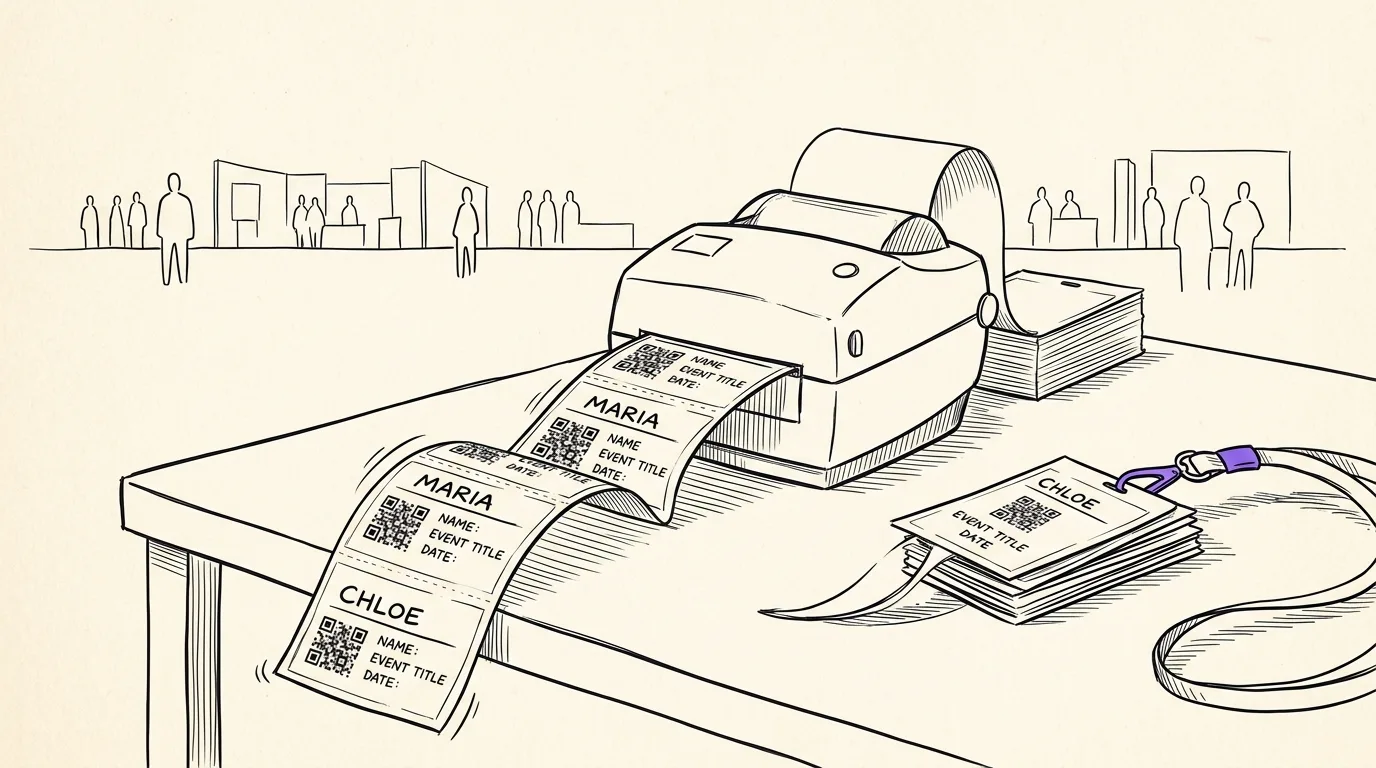
- QR code -- this is the machine-readable key that connects the physical badge to the attendee's digital record. It powers check-in scanning, session tracking, and lead retrieval. Without it, you are back to manual name lookups.
- Event branding -- convention name, logo, dates, and year. This is also a keepsake; many attendees collect badges.
- Day indicators -- if you sell single-day passes, include visual indicators (tear-off tabs, colored dots, or printed day labels) so door staff can verify which days the badge is valid for.
Some conventions also print schedule highlights or a mini-map on the back of the badge. This is useful but adds printing complexity. Consider it for larger events where attendees frequently reference the schedule.
Pre-printed vs. on-demand badge printing
There are two fundamental approaches to badge production, and most successful conventions use a hybrid.
Pre-printed badges are produced days or weeks before the event based on ticket sales data. You export your attendee list, send it to a print shop (or run it through your own printer), and arrive at the venue with boxes of badges sorted alphabetically or by badge type. The advantage is speed at the registration desk -- you just look up the name and hand over the badge. The disadvantage is that any ticket purchased after your print cutoff requires an on-demand badge, and name changes or corrections require reprinting.
On-demand printing means every badge is printed at the registration desk when the attendee checks in. This requires thermal or inkjet badge printers at each registration station. The advantage is perfect accuracy -- the badge always reflects the current data -- and it handles walk-up purchases seamlessly. The disadvantage is slower throughput per station, since each check-in includes a 5-15 second print step.
The hybrid approach works well for most conventions: pre-print badges for everyone who purchased tickets more than 48 hours before the event, and use on-demand printing for late purchases, walk-ups, and corrections. With Confanum's badge designer, you create your template once and it works for both workflows -- the same design feeds the bulk export for pre-printing and the on-demand print queue at your registration stations.
Badge materials and lanyards
Badge stock matters more than most organizers realize. Flimsy paper badges curl, smear, and look unprofessional by mid-afternoon. For a multi-day convention, invest in card stock (at least 80lb/216gsm) or plastic card badges. Thermal badge printers typically use synthetic stock that resists moisture and handling well.
Lanyards should be comfortable for all-day wear. Breakaway clasps are a safety requirement in many venues -- they prevent choking hazards in crowded spaces. Color-code lanyards by badge type (black for general admission, gold for VIP, red for staff) as a secondary visual verification layer. Order 10-15% more lanyards than your expected attendance to cover replacements and walk-ups.
Registration and Check-In Flow
Registration is the first in-person touchpoint of your convention. A smooth check-in sets a positive tone for the entire event. A chaotic one -- long lines, confused staff, broken scanners -- poisons the experience before a single panel starts.
Pre-registered attendee QR scan
The fastest check-in flow is a QR code scan. The attendee shows the QR code from their confirmation email or the event's mobile app. Your registration volunteer scans it with a tablet or phone. The system pulls up the attendee record, confirms their ticket is valid, marks them as checked in, and either hands them their pre-printed badge or triggers an on-demand print. The entire interaction should take 15-30 seconds.
For this to work reliably, your scanning app needs to function even on a mediocre Wi-Fi connection. Convention venue Wi-Fi is notoriously unreliable, especially during peak registration when hundreds of devices are competing for bandwidth. A well-built check-in system caches the attendee database locally on each device so that scans work even during brief network outages, then syncs when connectivity returns.
Walk-up purchases and on-site registration
Not everyone buys tickets in advance. Walk-up attendees need to purchase a ticket and receive a badge on the spot. This requires a different workflow: the registration volunteer processes a payment (card reader or cash), creates the attendee record, and prints a badge. This takes 2-4 minutes per person -- significantly longer than a pre-registered scan.
The critical mistake is mixing walk-up and pre-registered attendees in the same line. Walk-up transactions are 5-10x slower, and a single walk-up in a pre-registered line creates a bottleneck that frustrates everyone behind them. Always separate these flows physically with clear signage.
Line management and staffing ratios
Convention registration follows a predictable surge pattern. The heaviest volume is in the first 60-90 minutes of each day, with a secondary surge after lunch. Staff for the peak, not the average.
A good rule of thumb for staffing: one registration station per 200 expected attendees for that day, with a minimum of four stations regardless of event size. For a 2,000-attendee day, plan for 10 stations. Each station needs one trained volunteer and one device (tablet or laptop with scanner). Pre-position your stations the night before so you are not setting up hardware while attendees are queuing.
Line management is its own discipline. Use stanchions or tape to create orderly queues. Post a volunteer at the front of the line to direct people to the correct queue (pre-registered vs. walk-up, A-L vs. M-Z if using alphabetical sorting for pre-printed badges). Have a "problems" station off to the side for name corrections, duplicate scans, and other edge cases that would otherwise slow down the main line.
Separate lines for VIP, press, vendors, and volunteers
VIP ticket holders paid a premium and expect a premium experience. Press, vendors, and volunteers all have different check-in needs. Create dedicated lines for these groups, even if each line only needs a single station. The VIP line should be visibly shorter and faster -- that is part of what they paid for. Vendor check-in should include booth assignment information and a vendor packet. Volunteer check-in should include shift assignments and a brief orientation.
With Confanum, badge type determines the check-in workflow automatically. When a VIP badge scans, the system shows VIP-specific information. When a vendor badge scans, it displays their booth number and load-in details. The volunteer checks in and immediately sees their first shift assignment. One system, multiple workflows, zero manual routing.
Session Check-In and Capacity Management
Registration gets attendees into the building. Session check-in tracks where they go once inside. This data is valuable for multiple reasons: it helps you manage room capacity in real time, it gives you attendance analytics for planning next year's schedule, and it enables session-specific features like live polling and Q&A.
Scanning into individual panels and workshops
Place a volunteer with a scanning device at the door of each session room. As attendees enter, they scan their badge. This does not need to be a bottleneck -- a quick tap of the badge against a scanner or a visual QR scan takes under two seconds. For high-traffic sessions, position the scanner at the entrance but do not block the door; attendees who do not want to scan can still enter.
The scan serves multiple purposes. It records that the attendee attended this specific session (useful for CE credit tracking, gamification, and post-event surveys). It increments the room's occupancy counter. And it creates a timestamp record that feeds into your analytics -- which sessions had the highest demand, which time slots worked best, and which topics drew the most engagement.
Tracking room capacity in real time
Fire code capacity limits are not suggestions. If a room holds 200 people, you cannot let 250 in because the panel is popular. Real-time capacity tracking gives your door volunteers a clear number: the room is at 87% capacity, or the room is full.
An integrated system displays capacity on the door volunteer's device and on your command center dashboard simultaneously. When a room hits 90% capacity, the system can trigger an alert so your operations team can proactively deploy additional volunteers for crowd management. When it hits 100%, the door volunteer sees a clear "ROOM FULL" indicator and begins managing a waitlist or overflow.
Handling overflow and waitlists
Popular sessions will exceed capacity. Plan for it. Your overflow strategy should be decided before the event, not improvised in the moment.
Options include:
- Digital waitlist. Attendees join a waitlist through the mobile app and receive a notification if a spot opens up. This is far better than having people physically stand in a hallway hoping someone leaves.
- Overflow room. Set up a secondary room with a livestream of the session. This works well for keynotes and high-profile panels. It requires AV infrastructure but dramatically reduces frustration.
- Repeat sessions. If a workshop is consistently at capacity, consider scheduling a repeat session later in the day. This is only possible if you have flexible scheduling and a speaker who agrees to it.
- Room reassignment. If you notice a session trending toward overflow during the previous time slot, move it to a larger room. This is where an integrated system shines -- update the room assignment once and it propagates to the schedule, the mobile app, digital signage, and push notifications within seconds.
Lead Retrieval for Exhibitors and Sponsors
For many exhibitors and sponsors, the entire reason they participate in your convention is to generate leads. If you do not provide an efficient lead capture mechanism, they will build their own -- usually a fishbowl full of business cards or a paper sign-up sheet. Both are terrible for data quality and create extra work for the exhibitor after the event.
How badge scanning captures contact info for sponsors
Lead retrieval uses the same QR code on the attendee's badge. When an exhibitor scans a badge at their booth, the system captures the attendee's name, email, phone number, and any other information collected during registration. The exhibitor gets an instant digital contact record without the attendee having to fill out a form, spell their email address, or hand over a business card.
This is a significant value-add for your exhibitors and can be monetized as a premium feature or included in sponsor packages. Exhibitors who get high-quality leads are exhibitors who return next year and recommend your event to their peers.
Confanum's lead retrieval is built into the same platform as registration and check-in. There is no separate app to download, no separate credentials to manage, and no data reconciliation after the event. The exhibitor logs into the Confanum app, taps "Lead Retrieval," and starts scanning. The data flows into the same system that powers everything else.
Lead qualification and notes
Not all leads are equal. A casual browser who stopped by for free stickers is different from a purchasing manager who spent twenty minutes asking detailed product questions. Good lead retrieval tools let exhibitors tag and annotate each scan immediately.
- Temperature rating -- hot, warm, or cold. A quick tap immediately after the conversation while the interaction is fresh.
- Interest tags -- which products or services the attendee expressed interest in. Pre-configured tags make this a one-tap action.
- Free-text notes -- specific details from the conversation. "Interested in enterprise pricing, current contract with competitor expires Q3, follow up with case study."
- Follow-up priority -- flag leads that need same-day follow-up versus those that can wait until after the event.
The difference between a scan-only system and a scan-plus-qualify system is enormous for exhibitor satisfaction. The former gives them a list of names. The latter gives them actionable sales intelligence.
Post-event data export for exhibitors
After the event, exhibitors need their leads in a format they can actually use. At minimum, provide CSV export. Better yet, support direct integration with popular CRMs -- Salesforce, HubSpot, and Zapier webhooks cover the vast majority of exhibitor needs.
Include all captured data: contact information, scan timestamps, qualification tags, notes, and session attendance if available. The richer the data, the more effective the exhibitor's follow-up will be, and the more likely they are to see your convention as a valuable investment rather than a cost.
Timing matters too. Make lead data available before the exhibitor leaves the venue if possible. The best follow-up happens within 24-48 hours of the interaction. If your exhibitors have to wait a week for you to manually compile and email their lead lists, you have already cost them conversions.
Emergency Procedures and Communication Protocols
No one wants to think about emergencies during a fun event, but preparation is non-negotiable. A convention with thousands of people in a large venue is a complex environment where medical incidents, security threats, severe weather, and infrastructure failures can all occur.
Medical emergencies
Have a first aid station staffed for every day of the event. Know the location of the nearest AED (automated external defibrillator) and ensure at least two staff members are trained to use it. Establish a clear protocol: volunteer observes a medical issue, radios the command center, command center dispatches first aid and calls 911 if needed. Every volunteer should know this chain.
Evacuation procedures
Walk the venue's evacuation routes with your team before the event. Identify choke points where large crowds could create dangerous congestion. Assign specific volunteers to each exit to direct traffic during an evacuation. Your command center should have a direct line to the venue's fire safety officer.
Security incidents
Work with the venue's security team and, for larger events, hire additional security personnel. Establish a code-word system for communicating security concerns over radio without alarming attendees. Have a lockdown protocol. Brief all volunteers on the "see something, say something" principle and give them a clear reporting channel.
Communication during an emergency
This is where an integrated platform provides a critical advantage. If you need to communicate with all attendees instantly -- an evacuation order, a shelter-in-place instruction, a severe weather warning -- push notifications through the mobile app reach thousands of people in seconds. Supplement this with PA announcements (if available), volunteer messengers, and digital signage updates. Redundancy saves lives.
Real-Time Schedule Changes and Attendee Notifications
Schedule changes are not emergencies, but they are inevitable. A guest's flight is delayed and their 10 AM panel moves to 2 PM. A workshop fills up and you add a second session. A room's AV system fails and you need to relocate a panel. How quickly and clearly you communicate these changes determines whether attendees feel informed or abandoned.
The old way: update a whiteboard at the registration desk, make a PA announcement that most people do not hear, and hope word-of-mouth fills in the gaps. The result is attendees showing up to empty rooms, frustrated and confused.
The integrated way: update the schedule in your admin dashboard. The change immediately appears in the mobile app's schedule view. A push notification goes out to everyone who bookmarked that session. The session check-in screen at the old room displays a redirect notice. The command center dashboard reflects the change. One update, everywhere, in under a minute.
This capability alone justifies moving to an integrated platform. The cost of attendee confusion and frustration when schedule changes are poorly communicated is real -- it shows up in your post-event survey scores and in next year's ticket sales.
Teardown: End-of-Day and End-of-Event Procedures
Teardown is the most overlooked phase of convention operations. Exhausted after a long day, it is tempting to throw everything in boxes and deal with it later. Resist that impulse. Disciplined teardown saves hours of confusion later and protects your equipment investment.
End-of-day procedures (multi-day events)
- Secure all scanning equipment. Collect tablets, scanners, and badge printers from all stations. Charge devices overnight. Lock them in the command center or a secured storage room.
- Reconcile badge stock. Count remaining blank badge stock and compare against expected walk-up volume for the next day. Order emergency supplies if you are running low.
- Export daily data. Back up check-in data, session attendance, and lead retrieval records. Do not wait until the end of the event to discover that a device's data did not sync.
- Debrief the day. A 15-minute standup with department leads to identify what worked, what broke, and what to adjust for tomorrow. Short, focused, and actionable.
- Review tomorrow's schedule. Confirm any room changes, guest adjustments, or staffing modifications for the next day. Update the system tonight so changes propagate before attendees wake up and check the app.
End-of-event teardown
- Final data sync. Ensure all devices have synced their data to the central system. Check for any offline devices that may have unsynchronized records.
- Collect all hardware. Account for every tablet, scanner, printer, and cable. Use a numbered asset checklist. Missing equipment is expensive to replace and easy to lose in the post-event chaos.
- Vendor and exhibitor checkout. Confirm that all vendors have departed, retrieved their deposits (if applicable), and received their lead retrieval data.
- Venue walkthrough. Walk the entire venue with the facility manager. Document any damage, note any items left behind, and confirm that all rented spaces are returned to their original condition.
Post-Event Data: What to Capture and Analyze
The data you collect during the event is arguably more valuable than the revenue from the event itself, because it drives every decision for next year. An integrated operations platform captures this data automatically as a byproduct of running the event. A patchwork of disconnected tools requires manual compilation and reconciliation -- a process that often takes weeks and produces incomplete results.
Key metrics to capture and review
- Registration throughput. How long did attendees wait in line? What was the average check-in time? Where were the bottlenecks? This data tells you how many stations you need next year and whether your pre-registration process is working.
- Session attendance. Which panels and workshops drew the biggest crowds? Which ones were underattended? This directly informs next year's schedule -- book more of what works and less of what does not.
- Peak occupancy times. When was the convention floor most crowded? When did attendance drop off? This helps you schedule your biggest draws during lower-traffic periods to distribute crowds more evenly.
- Lead retrieval volume. How many leads did each exhibitor capture? This is a key metric for sponsorship sales -- "our exhibitors averaged 340 qualified leads" is a powerful pitch for next year's sponsor prospectus.
- Badge type distribution. What percentage of attendees were VIP vs. general admission? How many walk-ups versus pre-registered? This data shapes your pricing strategy and your print-versus-on-demand badge ratio.
- Mobile app engagement. How many attendees downloaded the app? How many used the schedule builder? How many interacted with push notifications? This tells you whether your digital investment is reaching attendees.
With Confanum, all of this data lives in a single analytics dashboard. You do not need to export CSVs from five different tools and build pivot tables in a spreadsheet. The data is already unified because it was collected by a single system. Session attendance connects to attendee profiles connects to ticket purchases connects to lead retrieval records. The cross-referencing happens automatically.
Turning data into decisions
Data without analysis is just noise. Schedule a post-event review meeting within two weeks of the event, while memories are fresh. Walk through each operational area with the relevant lead. Compare actual numbers against your pre-event projections. Document specific, actionable takeaways: "Add two more registration stations on Saturday morning," "Move the cosplay contest to the main hall," "Offer a second session for any workshop that hits 80% capacity."
Store these takeaways where your future self will find them. Next year's planning starts the day this year's event ends, and the teams that learn from their data are the teams that build conventions people return to year after year.
Ready to unify your day-of operations?
Confanum replaces the patchwork of separate check-in apps, badge printers, lead retrieval scanners, and spreadsheets with a single integrated platform. Badge design, registration, session tracking, lead retrieval, and real-time communications -- all in one place.
Schedule a DemoThe First-Time Convention Organizer's Complete Checklist
A comprehensive planning guide covering every phase from venue selection to post-event analysis.
Event Volunteer Management: From Recruitment to Day-Of
Build a volunteer program that keeps your convention running smoothly and brings people back year after year.
Convention Ticketing and Payments: A Complete Setup Guide
Multi-provider payment processing, promo codes, and ticket type strategies for conventions of any size.